

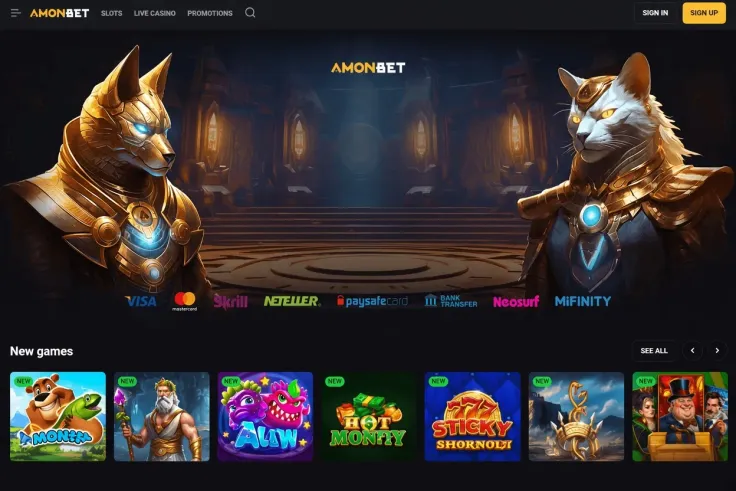
For Amonbet login you need the email or username and password you chose when you registered, plus access to Amonbet's website or its iPhone or Android app. The steps above take you through signing in, resetting a forgotten password and reaching support if you get stuck, so this page covers what sits behind those steps and how to fix the usual problems.
This site has no login form on any page. You type your details only on Amonbet's own website or in the app you installed on your phone, never on a page you reached through a link in a message or an advert. Before you start, check that you are on the right website or in the right app, that your device has a stable connection, and that you know which email address or username you registered with.
It also helps to keep your photo ID close by, in case the account still needs verifying. If you have not opened an account yet, start with how to sign up at Amonbet and come back here afterwards.
What happens when you sign in

Signing in matches the email or username and password you enter against the account you created. If they match, you are in; if a single character is wrong, the login fails, so check both fields before you try again.
You can sign in on the Amonbet website from a desktop computer or a phone browser, or in the app for iPhone or Android. The website and the apps do the same job, so choose whichever suits the device in your hand. If you play mostly on a phone, the guide to the Amonbet mobile version explains the differences between the browser and the apps.
Identity checks
Amonbet requires identity verification, so expect a request for documents that show who you are. At most online casinos this means a photo ID and often a recent document with your address. UK rules require licensed operators to check age and identity before you can deposit or play and to take part in GAMSTOP self-exclusion; Amonbet holds no licence from the UK Gambling Commission, so those rules and GAMSTOP do not cover it. What that means for you as a player is covered in the page on whether Amonbet is legit.
What can take time
Most delays around an account come from the checks, not from the login itself. As a general rule, the name and date of birth on your account should be the same as on your ID, and the name on any payment method you use should match the name on the account. A different spelling, a missing middle name or an old address is a frequent reason a document is sent back.
Sending clear, complete copies the first time saves a second round. A full photo of the document, with every edge visible, no glare and nothing covered, is easier to review than a cropped or blurred one. The step-by-step verification guide explains what to send and how to prepare it.
You must be 18 or over to hold an account, and the account must be in your own name. Never let someone else log in for you or use your details, and never open an account for someone else.
18+ · T&Cs apply
Login problems and what to do

Most failed logins have a simple cause. Work through the checks below before you contact support.
Wrong or forgotten password
Check that caps lock is off and that your browser or password manager has not filled in an old password. If you still cannot get in, use the password reset option on the login screen and choose a new password you have not used anywhere else. Avoid trying the same guess again and again: after a reset, type the new password carefully once.
Email or username not recognised
Make sure you are entering the same email address or username you registered with, spelled exactly as before. Many people have more than one email address, so try the other one if the first is not recognised. A stray space before or after the text can also stop the login.
The app or website will not load
Check your connection first, then close and reopen the app or refresh the page. If the app keeps failing, update it to the latest version or try the website in your phone's browser instead. On a computer, clearing the browser's cache or trying a different browser often fixes a page that will not load properly.
A document is rejected
Read the reason given, if there is one, and send a new copy that fixes it: the whole document, in date, readable and in the same name as your account. If you do not understand why a document was refused, ask support before you send another one.
Payments and withdrawals
Once you are logged in, questions about money have their own guides: making a deposit and withdrawing your money explain what to check when a payment does not go through or a payout takes longer than you expect.
When to contact support
If none of this works, contact Amonbet support, available 24/7 (live chat). Have your username or registered email ready and describe what you tried. Never give your password to anyone, support agents included; nobody needs it to help you.
Keeping your Amonbet account safe

A few habits protect your account and your money more than anything else.
- Enter your password only on Amonbet's own website or in its app. Type the address yourself or use a bookmark rather than following links in messages or adverts.
- Use a long password that you do not use for any other account, and store it in a password manager rather than in a note on your phone.
- On a shared or public device, log out when you finish and do not let the browser save your details.
- Install the app only from your phone's app store or another source you trust, and keep it and your phone's software up to date.
- Keep your ID and proof of address ready, so a verification request does not hold up your account.
Logging in is also a good moment to set yourself a limit. Decide how much you are prepared to spend before you sign in, treat it as the cost of entertainment and stop when you reach it. The safer gambling page explains where to find support if playing stops feeling like a choice.